
Projector vs. TV for Your Man Cave? Pick Based on Your Room and How You Watch
Picking a main screen for a man cave comes down to a few facts about your room. Spec sheets and review roundups matter less than they seem to. The projector vs. TV for man cave question has a different right answer in a basement than in a garage with a big door, and a different answer again for a guy who watches one game a week than for one who runs four at once.
This guide gives you three tests, then a verdict for each type of room. It skips the spec-sheet comparison on purpose. Models change every year, but the way light, distance, and viewing habits decide the question does not.
The Three Questions That Settle TV vs Projector
Answer these before you look at a single product page.
- How big is the room, and how far will people sit from the screen? This sets how large the picture can be and whether a projector has the space to work.
- How much light does the room get when the game is on? A noon kickoff with sun through a window or an open garage door is the hardest test a display faces.
- What do you actually watch? One game on Sunday, three games at once, a fight card with the lights down, or a console on the weekends each favor a different screen.
If all three answers point the same direction, you are done. If they split, the ambient light answer should usually win, because it is the one that cannot be fixed after the purchase without spending real money on blackout work or a specialty screen.
Room Size and Seating Distance: Where Each One Wins
Screen size and seating distance are linked. A picture that is too small for the distance leaves you squinting at the scoreboard. A picture that is too large for a short distance makes you turn your head to follow the action.
A common rule of thumb is to sit at about 1.2 to 1.6 times the screen’s diagonal size for a 4K picture. A 77-inch screen suits a seat roughly 8 to 10 feet back. A 120-inch projected image suits a seat roughly 12 to 16 feet back. Treat these as a starting range and adjust for how close you like to sit.
Where a TV wins
TVs are the better answer in small and medium rooms. In a room where the back row sits 8 to 11 feet from the wall, a large TV in the 75 to 85 inch class fills the field of view well and needs no setup beyond mounting and plugging in. The picture stays sharp and bright from wide angles, which matters if your couch is a sectional and some people sit off to the side.
Where a projector wins
A projector wins when the room is deep enough for a very large image. Going past what TVs offer in screen size is the whole case for it. A 120-inch or 150-inch image is realistic with a projector, and the room needs to be wide enough that the image does not crowd the side walls. If your seating is 13 feet or more from the screen wall, a projector gives the proportions of a small theater, and a TV that big would cost far more or does not exist.
The throw distance check
Projectors need space between lens and screen. This is called throw distance, and every model lists a throw ratio. Divide the distance from lens to screen by the throw ratio, and you get the image width. A projector with a 1.5 throw ratio placed 12 feet from the screen produces an image 8 feet wide. Short-throw and ultra-short-throw models sit a few inches to a few feet from the wall, which suits rooms where a ceiling mount is not possible, but they are a different product class with their own requirements for a flat, precisely aligned screen.
Measure your room before you pick a size. Then check whether the projector placement conflicts with where people walk, stand, or hang a bar light.
Ambient Light: Windows, Garage Doors and the Daytime Game Problem
This is where most projector purchases go wrong. A projector makes an image by throwing light onto a surface, and any other light in the room competes with it. A TV makes its own light directly at your eyes, so it handles a bright room much better.
Sunday afternoon games, early kickoffs, college football all day Saturday, and morning soccer all happen when the sun is up. If the room has windows or a garage door that lets daylight in, expect a projector image to look washed out. Blacks turn gray, colors fade, and a bright green field looks flat.
Ways to fight the light
- Blackout curtains or shades on windows. These are inexpensive compared with the screen itself and make the biggest difference.
- A brighter projector. Projector brightness is measured in lumens, and a bright room needs a model with a high rating, usually a laser model in the higher price tiers. Check that the figure is ANSI lumens, which is a standardized measurement, rather than a marketing number.
- An ambient light rejecting (ALR) screen. These screens are built to reflect light from the projector direction and absorb light from other angles. They help noticeably in a lit room but cost more than a plain screen, and they work best when matched to the projector type, so check that pairing.
- Dark wall and ceiling paint. In a dedicated room, dark surfaces stop light from bouncing back onto the screen.
When to give up on the projector
If the room has large windows you do not want to cover, or a garage door that stays open on game days, a TV is the practical choice. A bright Mini-LED TV handles sunlight far better than any projector at a comparable price. OLED TVs are excellent in a dim room, but they are generally less bright than the best Mini-LED models, so a very sunny room favors Mini-LED.
If you also want the room to feel right under the lights, the lighting guide on this site covers how to place fixtures so they add atmosphere without washing out the screen. The same goes for the seating guide, which covers layout and sightlines. This article sticks to the screen decision.
How You Actually Watch: Sunday Football, Fight Nights, Multi-Game Setups and Gaming
The same screen does not serve every viewing habit equally well.
Sunday football and daytime sports
Most NFL and college games run during daylight, which puts them in the hardest lighting situation. A TV is the safer choice unless the room is truly dark. If you choose a projector for football, plan for light control as part of the cost of the system.
Fight nights and evening games
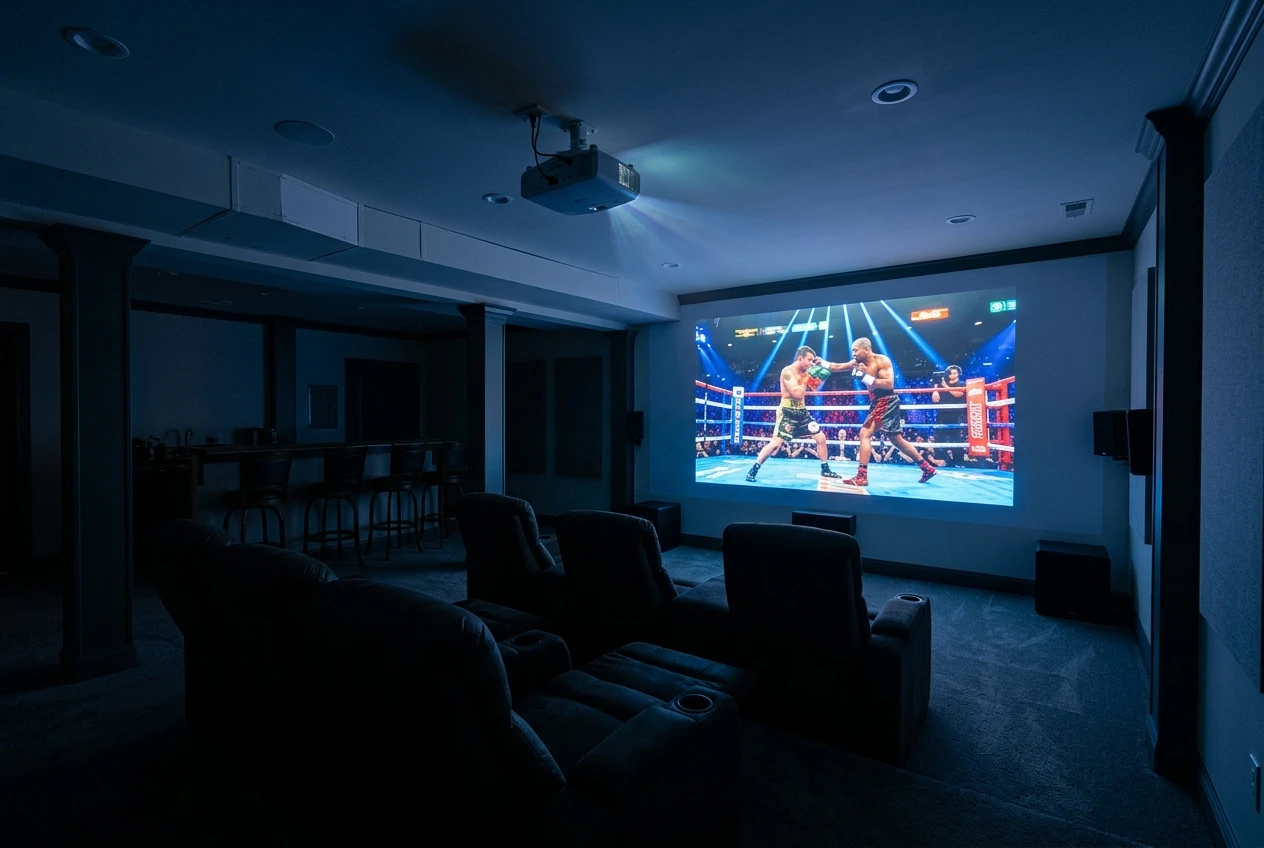
Boxing, MMA and prime-time games usually start in the evening, and the room can be fully dark. A projector shines here. A very large image with the lights down has a cinema feel that a TV cannot match for the money, and the fight canvas, the cage and the crowd all benefit from scale.
Multi-game setups
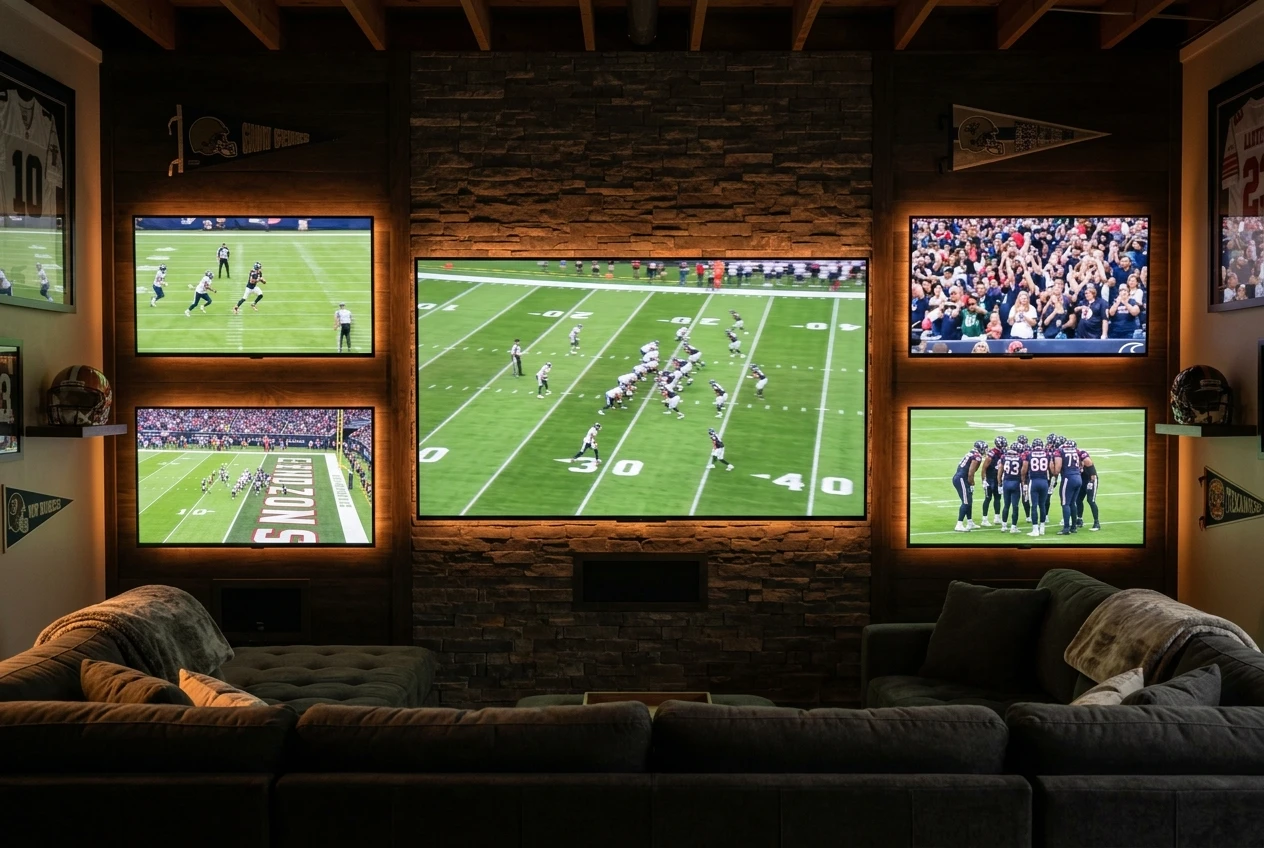
If you want to watch several games at once, a single large screen does not always do it well. Some people split one screen into quadrants. This works on a big TV, but each game ends up small. Another option is a large main screen with one or two smaller TVs beside it. Projectors are poor at this because only one image is projected, although some people project the main game and use TVs for the rest. If multi-game is your routine, a TV wall or a main TV with satellites is the cleaner design, and the room’s cable runs should be planned around it.
Gaming
Consoles are a different case. What matters for gaming is input lag and refresh rate. Look for a TV that supports 4K at 120Hz, variable refresh rate, and a game mode with low input lag. Many projectors have higher input lag than TVs, and fewer support 4K at 120Hz. Some newer gaming projectors do, so check the specs of any model you consider and read what independent reviewers measured, rather than trusting the box. For a competitive player, a TV is usually the better pick. For a casual player who wants a huge image for single-player games, a projector can be great in a dark room.
What High End Means for Sports: Brightness, Motion Handling and Screen Size
A high-end label does not guarantee a good sports picture. Three things matter most for watching games.
Brightness
For TVs, brightness is measured in nits. A higher peak and sustained brightness helps in rooms with light, and with HDR broadcasts. For projectors, it is measured in lumens, as discussed above. Brightness is the single spec that most affects daytime viewing, so spend there before spending on anything else.
Motion handling
Sports are fast. A ball in flight, a pan across the field, a player cutting through a defense all show motion blur or judder if the display handles movement poorly. Look for a TV with a native 120Hz panel, which is different from a “motion rate” number that is inflated by processing. Most TVs also offer motion smoothing, which adds artificial frames. Some people like it for sports, and others find it looks unnatural. It is a setting you can try and turn off, so it should not decide the purchase. For projectors, motion handling varies a lot between models, and many lack the processing that good TVs have. Reviews that specifically test sports or fast motion are worth finding.
Screen size
Bigger is a real benefit, up to the point where the seating distance makes the image too large. For a TV, 75 to 85 inches is the sweet spot for many rooms, with 98-inch and larger TVs available at much higher prices. For a projector, 100 to 150 inches is common. If you want the largest picture per dollar, a projector wins, but only if the room works for it.
Also check that the source is worth the screen. A large display reveals compression in a weak stream. A good cable or satellite feed, or a quality streaming service, makes a visible difference at big sizes.
The Costs People Forget: Screen, Mounting, Sound and Wall or Ceiling Prep
The sticker price of the display is only part of the budget.
For a projector
- The screen. A projector needs a proper surface. A painted wall works, but a dedicated screen gives better contrast and uniformity, and an ALR screen costs more again. Fixed-frame screens are flat and tidy, while retractable ones are cheaper and less flat.
- The ceiling mount and the structure it attaches to. Check that the ceiling can carry the weight and that you can reach the mounting point.
- Cable runs. A projector mounted at the back of the room needs a long cable to the source. Standard HDMI cables lose signal over long distances, so a long run usually needs an active or fiber optic HDMI cable, or a wireless video transmitter. Run it inside the wall or ceiling before you finish the room.
- Sound. Most projectors have weak built-in speakers, so plan on a soundbar, a receiver with speakers, or a full surround system.
- Light control such as blackout shades or paint.
- Lamp or laser replacement, depending on the model. Check the projector’s rated light source life and replacement cost.
For a TV
- The wall mount. A large TV is heavy. Mount it to studs or to blocking added inside the wall, and use a mount rated above the TV’s weight. If the TV is going over a fireplace or on a masonry wall, confirm the wall and the heat situation first.
- Power and cable placement. Run power and HDMI inside the wall so no cords are hanging down.
- Sound. TV speakers are thin on bass and dialogue, so a soundbar or a receiver-based setup is a worthwhile addition.
- A stand or cabinet for the source devices, with ventilation.
In both cases, a large display with weak audio feels incomplete. Budget for sound at the same time as the screen.
Which One to Buy for a Garage, a Basement and a Spare Bedroom
Garage
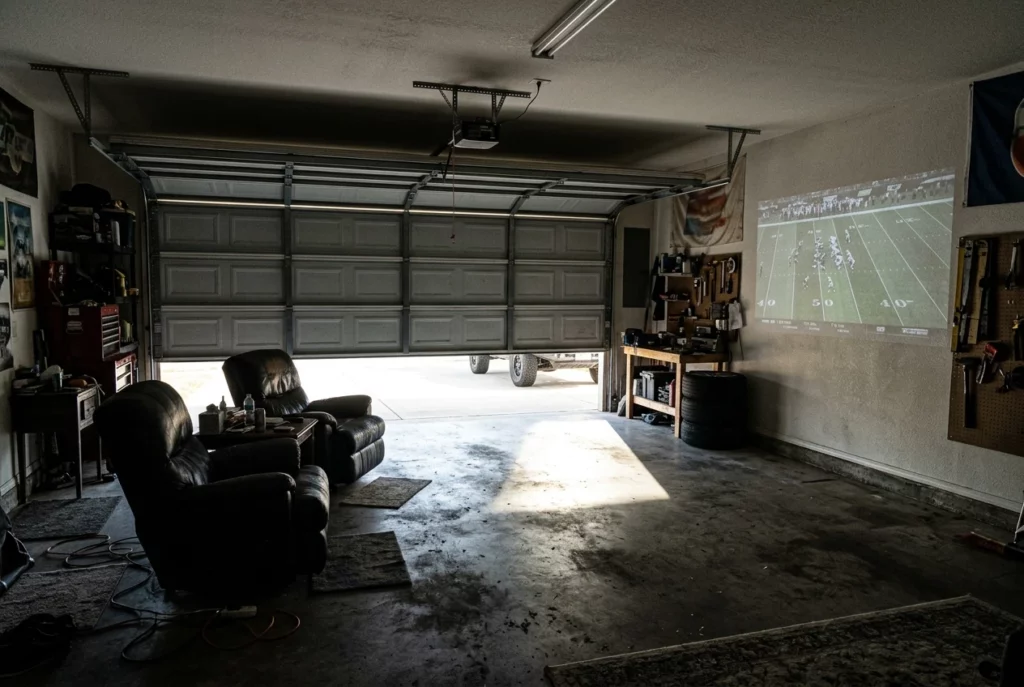
Garages often have a large door, a concrete slab and unfinished walls, which creates conditions that differ from the rest of the house. If the door stays closed for games, and you can darken any windows, a projector can work well because the space is usually deep enough for a big image. Garage dust, temperature swings, and humidity are hard on electronics, so check the projector’s operating range and keep the filter clean. If the door is usually open, or the garage has many windows, a TV is easier to live with. A framed wall for mounting a TV may need to be built, since bare walls often lack studs in the right places.
Verdict: a projector if you can control the light and the room is conditioned. Otherwise, a bright TV.
Basement
The basement is the strongest case for a projector. It usually has few or no windows, a long open space, and a low ceiling that holds a ceiling mount well. A large image works for football at night, and for fights, and for daytime games the room is already dark enough. Check that the ceiling height leaves room for the image to sit comfortably above seated eye level and that ducts or pipes do not block the projector path.
Verdict: a projector, paired with a good sound system. A TV is still fine if you want the simpler install or plan to game seriously.
Spare bedroom
Spare bedrooms are smaller, usually have at least one window, and often have seating no more than 10 feet from the screen wall. A large TV fits this space well. A projector in a small room is harder to place, and the throw distance may not be enough for a big image without a short-throw model.
Verdict: a TV, in the largest size that suits your seating distance.
Quick Verdict: A Short Decision Guide You Can Screenshot
Choose a TV if:
- The room is under about 14 feet deep or the seats are within 10 feet of the screen.
- The room has windows or a garage door that stay uncovered during daytime games.
- You watch mostly Sunday and Saturday daytime football.
- You game competitively or want 4K at 120Hz with low input lag.
- You want several games on screen at once.
- You want a simple install with minimal setup.
Choose a projector if:
- The room is deep enough for seating 12 feet or more from the screen.
- You can darken the room, or it is already dark, like most basements.
- You mostly watch evening games, fights, and big events.
- You want an image of 120 inches or more.
- You are willing to pay for a screen, sound, cabling, and light control.
By room:
- Garage: projector if you can control light, otherwise TV.
- Basement: projector.
- Spare bedroom: TV.
If you are still undecided, ask which problem you would rather solve: controlling light for a projector, or paying for size with a TV. The first one costs effort and some extra equipment, and the second costs money per inch.
Run your screen choice through the Ultimate Mancave Checklist so your display, seating, lighting, and audio all work together before you buy anything.